Tuesday, December 6, 2011

Undefined… uhhh… defined

Yes, we all know it, Javascript has some serious flaws. One of the more disturbing one being that undefined can be defined:

// This is way legal, but way weird:
undefined = “defined”;

Of course, it’s easy enough to avoid this, just don’t f-ing do it. But when writing scripts we are often playing in the same sandbox as the “big bad bullying, just straight up evil kids that has nothing better to do than going around defining undefined” are playing in. That’s why it’s very common to see scripts testing if the type of a value is “undefined” rather than to test if a value is equal to undefined:

// Test...
if (typeof foo === “undefined”) doStuff();
// ... rather than ...
if (foo === undefined) doStuff();

When I was a kid I alway wanted some sort of invisible shield to protected me from the big bad kids. Well, actually what I really, really wanted was some spinach to make me strong as Popey in order to beat the living crap out of the evil kids…

popeye

On the other hand, I guess a shield would do, I mean, even a visible shield would do. Can we please have a shield for our undefined??? Yes we can! And of course it comes in the form of a self invoking function as always when we want to shield our scripts.

(function(undefined) {
    if (something === undefined) doStuff();
}());

As you see here, we have an argument “undefined” in the function, however the function is self invoked without any argument thus the undefined argument has the value undefined. Inside this shield it’s perfectly safe to test for equality of undefined. This can be combined with other arguments as long as the undefined argument is the last one and the function is invoked with one argument less than the length of the arguments list:

(function($, global, undefined) {
    $(document).ready(function() {
        if (something === undefined) doStuff();
    });
}(jQuery, this));

Sunday, April 10, 2011

An alternative to NotImplementedException

It happens from time to time that I forget to implement some code where I’m just throwing a NotImplementedException. Being forgetful I have a habit of coming up with stuff that will help me not to forget. I think my “MustBeImplementedException” is quite useful, it will break the build if the build is not DEBUG.

#if DEBUG

namespace FakeItEasy
{
    using System;
    using System.Diagnostics.CodeAnalysis;

    /// <summary>
    /// An exception that can be thrown before a member has been
    /// implemented, will cause the build to fail when not built in 
    /// debug mode.
    /// </summary>
    [Serializable]
    [SuppressMessage("Microsoft.Design", "CA1032:ImplementStandardExceptionConstructors", Justification = "Never used in production.")]
    public class MustBeImplementedException
        : Exception
    {
    }
}

#endif

Saturday, April 2, 2011

An old pain point removed from FakeItEasy

It’s always bittersweet to say that you have introduced a breaking change in an API that people use. Bitter because it will break peoples code. But sweet because IT’S AN AWESOME NEW FEATURE!

I was never really fond of the fact that argument constraints relies on implicit casting in FakeItEasy, this is why you had to write A<IFormattable>.Ignored.Argument but you could write the shorter A<string>.Ignored for non interface types. This had to be done in order for the chaining of argument constraints to work: A<string>.That.Contains(“foo”).And.Not.Contains(“bar”) for example. I thought I was pretty smart when I implemented this, it turns out though that ONCE in SEVERAL THOUSAND tests have I used this feature myself. Smart is never simple, smart is quite often stupid.

Now, I don’t wanna be stupid, so what can I do? I can remove the stupid feature. Said and done, in versions >= 1.7.* you can no longer chain argument constraints (but you weren’t doing that anyway).

Things that will break:

First of all, everything breaks at compile time so you won’t be able to build without fixing the problems. This is one of the benefits of a static type system, the complier will tell you what’s wrong!

.Argument

Any argument constraint will now return an instance of the constrained type (T) and not an ArgumentConstraint<T> as it did in previous versions. This means that there is not property .Argument so you will have to remove any calls to that property from your tests. This might be quite many calls depending on how many tests you have and what you have been testing.

ArgumentConstraint<T>

As I said this class is no more (RIP). The lowest level api for creating constraints is now the “Matches(Func<T, bool> predicate, Action<IOutputWriter> descriptionWriter)” on the IArgumentConstraintManager<T> type. You access an argument constraint manager through the A<T>.That-property. This means that you can much more easily now provide extensions to the That-property, all you have to do is to create an extension method on IArgumentConstraintManager<T> and call the Matches-method inside your extension method. Here’s an example on how the IsNull() argument constraint is implemeneted.

/// <summary>
/// Constrains an argument so that it must be null (Nothing in VB).
/// </summary>
/// <typeparam name="T">The type of the argument.</typeparam>
/// <param name="manager">The constraint manager to match the constraint.</param>
/// <returns>A dummy argument value.</returns>
public static T IsNull<T>(this IArgumentConstraintManager<T> manager) where T : class
{
    return manager.Matches(x => x == null, x => x.Write("NULL"));
}

If you have extended the That-property before all your extensions will have to be rewritten to use the new API, it’s quite a simple task though and you’ll be glad that it will be much easier to create new extensions.

Monday, February 14, 2011

FakeItEasy breaking change for assertions

In the latest version of FakeItEasy (version 1.6.4062.205) there is a breaking change in how repeats are specified in assertions. The reason for this is that the old way – while logically correct – was not intuitive to a lot of people.

Before you could write “Repeated.Once” and that assertion would pass even though the method you were asserting on had been called twice. Now, logically this makes perfect sense, a call that has happened twice has happened once. The problem is that I’ve noticed that people doesn’t think that way and therefore assertions has been wrong.

The reason I hasn’t changed this before is that if I did change it it would be a breaking change and it would just change under the feet of people that had figured the behavior out and I was reluctant to make a breaking change that doesn’t break the build.

The solution I came up with is one that does break the build. You can no longer write “Repeated.Once”, you have to write “Repeated.Exactly.Once” or “Repeated.AtLeast.Once” or “Repeated.NoMoreThan.Once” or any other repeat twice, Times(4) and so forth.

Hopefully you agree with my decision that it was important to break the build in this case and I hope that it doesn’t cause too much frustration, it is actually a quite straight forward matter of find and replace.

Saturday, February 5, 2011

Experimental branches in Mercurial

Branching in Mercurial is easy, it’s so easy that most of the times you’re branching you don’t even know that you’re doing it. Have you ever had to merge? I guess you have, well guess what, when you’re merging, you’re merging two branches! Ever got an error when pushing stating that a push would create two heads in the remote repository? Head == branch.

I had a conversation the other day with a fellow developer about Git, I asked him what the main benefits of Git was. The thing is I’m pretty much Git illiterate. One of the things he said was the ease of branching and how local “throw away” branches can’t be done in Mercurial. First of all, I don’t know exactly how easy this is in Git so it might be harder in Mercurial but it’s definitely not hard. Let me show you!

I’ll use TortoiseHG in this example since it’s visual and makes for better examples but it is just as easy to do it from the command line.

Let’s start with a repository that contains a code file:

image

Now, this class is boring, it only writes hello to the console and I’d like to spice it up a little, so I’ll do a spike. Let’s make it say “Hello Europe!”. Said and done, I edit the file and commit, now my repository looks like this:

image

Now the thing is, while “Hello Europe!” is good I’d like to explore something differnt, let’s make it say “Hello World!” that’s so much more international. Let’s go back to before the change:

image

Now, I change the code again, this time to “Hello World!” then I commit, now the repo looks like this:

image

See, two branches, I could have backed to any point back in the revision history to branch from there. Now I’ve decided to go with the “Hello World!”-change and I want to push it to a central repo, I don’t want to include the “Hello Europe!” spike.

Go into the repository explorer and click the “Determine and mark outgoing changesets”-button. This will mark change sets not already in the repository you’re pushing to with arrows:

image

Right click the head of the branch you want to push and select “Push to here”. Now the repository you were pushing to will contain the following changesets:

image

That’s pretty much all there is to it! One more thing though, what about deleting local branches that you don’t want to keep? This can be done with the strip command in the MqExtensions for Mercurial.

Happy branching!

Monday, October 4, 2010

Fixture initialization in FakeItEasy

I added a new feature to FakeItEasy that makes it – you guessed it – easy to initialize test fixtures with fakes.

Instead of calling A.Fake<WhateverTypeYourFakingHere>() once for every fake you have in your test fixture you can simply tag the variables or properties you want to be fakes with the “FakeAttribute” and then call the method “Fake.InitializeFixture(this)” in your fixture setup:

[TestFixture]
public class InitializeFixtureIntegrationTests
{
    [Fake] IFormatProvider formatProvider;
    [Fake] IFormattable formattable;

    [SetUp]
    public void SetUp()
    {
        Fake.InitializeFixture(this);
    }

        
    [Test]
    public void Should...

Sunday, September 26, 2010

Extending exception messages in FakeItEasy

One of the main features of FakeItEasy is the informative exception messages, let’s say we have the following types:

public interface IPersonRepository
{
    void Save(Person personToSave);
}

public class Person
{
    public string FirstName { get; set; }

    public string LastName { get; set; }

    public DateTime DateOfBirth { get; set; }
}

Now, let’s create a test that shows us what the exception messages in fake it easy looks like when asserting:

public void Extending_exception_messages()
{
    var repository = A.Fake<IPersonRepository>();

    repository.Save(new Person { FirstName = "Patrik", LastName = "Hägne", DateOfBirth = new DateTime(1977, 4, 5) });

    A.CallTo(() => repository.Save(A<Person>.Ignored)).MustNotHaveHappened();
}

This will yield an exception message that looks like this:

  Assertion failed for the following call:
    'FakeItEasy.Examples.IPersonRepository.Save()'
  Expected to find it exactly never but found it #1 times among the calls:
    1.  'FakeItEasy.Examples.IPersonRepository.Save(
            personToSave: FakeItEasy.Examples.Person)'

While this is a good exception message it doesn't say a whole lot about the person object that was used in the call to save. You could ofcourse in this particular instance override the ToString-method of person to fix this, but a lot of times you don’t have control over the types you use (for example the framework types). Now, fortunately, in the latest release of FakeItEasy, there is a dead simple way for you to provide your own formatter for printed argument values.

All you have to do is in your testproject define a class that inherits the FakeItEasy.ArgumentValueFormatter<T>-class where T is the type of class you wish to provide custom formatting for.

Here’s an example of such a formatter for the Person-type:

public class PersonArgumentFormatter
    : ArgumentValueFormatter<Person>
{
    protected override string GetStringValue(Person argumentValue)
    {
        return string.Format("Person named {0} {1}, date of birth {2:yyyy-MM-dd} ({3} days old).",
            argumentValue.FirstName,
            argumentValue.LastName,
            argumentValue.DateOfBirth,
            DateTime.Now.Subtract(argumentValue.DateOfBirth).TotalDays);
    }
}

Now, let’s run the same test again and see what the exception message looks like: (I’ve split the message over several lines in this post so that the message will not be truncated by the blog).

  Assertion failed for the following call:
    'FakeItEasy.Examples.IPersonRepository.Save()'
  Expected to find it exactly never but found it #1 times among the calls:
    1.  'FakeItEasy.Examples.IPersonRepository.Save(
            personToSave: Person named Patrik Hägne,
                          date of birth 1977-04-05 (12227,874689919 days old).)'

Saturday, July 24, 2010

FakeItEasy Login Service Example Series – Part 7

This is the seventh and last part in the series of posts where I’m porting Brett Schucherts excelent demo of Mockito in Java to C# and FakeItEasy.

The source for this example series can be found in a Mercurial repository at Google code. Each test implementation and following code update is a separate commit so you can easily update your repository to look at the full code at any given state. Find the repository here.

Part 1 can be found here.

Part 2 can be found here.

Part 3 can be found here.

Part 4 can be found here.

Part 5 can be found here.

Part 6 can be found here.

Test 7 – Should not be able to log in to revoked account

The next test is similar to the previous test. A revoked account does not allow logins:

The test

[Test]
public void Should_throw_when_account_has_been_revoked()
{
    // Arrange
    A.CallTo(() => this.account.IsRevoked).Returns(true);

    // Act, Assert
    Assert.Throws<AccountRevokedException>(() =>
        this.service.Login("username", "password"));
}


Test Description

This test is a repeat of the previous test, checking for a different result from a different starting condition.

Things Created for Compilation

You'll need to add another exception, AccountRevokedException  and a new property, IsRevoked, to IAccount.

Code Updated to get Test to turn Green

The only update to get to green is adding a check - a guard clause - similar to the previous test:

public void Login(string username, string password)
{
    var account = this.accountRepository.Find(username);

    if (account == null)
    {
        throw new AccountNotFoundException();
    }

    if (account.IsRevoked)
    {
        throw new AccountRevokedException();
    }

    if (account.IsLoggedIn)
    {
        throw new AccountLoginLimitReachedException();
    }

    if (account.PasswordMatches(password))
    {
        account.SetLoggedIn(true);
    }
    else
    {
        if (this.previousUsername.Equals(username))
        {
            this.numberOfFailedAttempts++;
        }
        else
        {
            this.numberOfFailedAttempts = 1;
            this.previousUsername = username;
        }
    }

    if (this.numberOfFailedAttempts == 3)
    {
        account.SetRevoked(true);
    }
}

Summary

This has been a port of Brett’s original tutorial, his tutorial does not end here though no more tests are added. Please continue reading his tutorial.

Sunday, June 20, 2010

FakeItEasy Login Service Example Series – Part 6

This is the sixth part in the series of posts where I’m porting Brett Schucherts excelent demo of Mockito in Java to C# and FakeItEasy.

The source for this example series can be found in a Mercurial repository at Google code. Each test implementation and following code update is a separate commit so you can easily update your repository to look at the full code at any given state. Find the repository here.

Part 1 can be found here.

Part 2 can be found here.

Part 3 can be found here.

Part 4 can be found here.

Part 5 can be found here.

Test 6 – Exception thrown when account is not found

This is a final test to make sure the code handles the case of an account not getting found. This is not too hard to write:

The test

[Test]
public void Should_throw_when_account_does_not_exist()
{
    // Arrange
    A.CallTo(() => this.accountRepository.Find(A<string>.Ignored)).ReturnsNull();

    // Act, Assert
    Assert.Throws<AccountNotFoundException>(() =>
        this.service.Login("username", "password"));
}

Test Description

This test takes advantage of the fact that later configurations of a fake object takes precedence over earlier configurations, this differs from the way that Rhino Mocks works where earlier configurations has precedence.

A login is attempted which should fail.

Things Created for Compilation

To get this test to compile, you'll need to add a new exception class:
AccountNotFoundException.

namespace FakeItEasy.Examples.LoginService
{
    using System;

    public class AccountNotFoundException
        : Exception
    {
    }
}

Code Updated to get Test to turn Green

The test currently fails with a null reference exception, a quick fix is needed at the top of the method.

namespace FakeItEasy.Examples.LoginService
{
    using System;

    public class LoginService
    {
        private IAccountRepository accountRepository;
        private int numberOfFailedAttempts;
        private string previousUsername;

        public LoginService(IAccountRepository accountRepository)
        {
            this.accountRepository = accountRepository;
            this.previousUsername = string.Empty;
        }

        public void Login(string username, string password)
        {
            var account = this.accountRepository.Find(username);

            if (account == null)
            {
                throw new AccountNotFoundException();
            }

            if (account.IsLoggedIn)
            {
                throw new AccountLoginLimitReachedException();
            }

            if (account.PasswordMatches(password))
            {
                account.SetLoggedIn(true);
            }
            else
            {
                if (this.previousUsername.Equals(username))
                {
                    this.numberOfFailedAttempts++;
                }
                else
                {
                    this.numberOfFailedAttempts = 1;
                    this.previousUsername = username;
                }
            }

            if (this.numberOfFailedAttempts == 3)
            {
                account.SetRevoked(true);
            }
        }
    }
}

Friday, June 4, 2010

FakeItEasy Login Service Example Series – Part 5

This is the fifth part in the series of posts where I’m porting Brett Schucherts excelent demo of Mockito in Java to C# and FakeItEasy.

The source for this example series can be found in a Mercurial repository at Google code. Each test implementation and following code update is a separate commit so you can easily update your repository to look at the full code at any given state. Find the repository here.

Part 1 can be found here.

Part 2 can be found here.

Part 3 can be found here.

Part 4 can be found here.

Test 5 – Do Not Allow a Second Login

In the actual problem, counting concurrent logins was somewhat complex. For this example, we'll keep it simple. If you are already logged in, you cannot log in a second time. That's simple enough:

The Test

[Test]
public void Should_not_allow_concurrent_logins()
{
    // Arrange
    A.CallTo(() => this.account.PasswordMatches(A<string>.Ignored)).Returns(true);
    A.CallTo(() => this.account.IsLoggedIn).Returns(true);

    // Act, Assert
    Assert.Throws<AccountLoginLimitReachedException>(() =>
        this.service.Login("username", "password"));
}

Test Description

This test first sets the password to matching. However, it also sets a new property, IsLoggedIn, to always return true. It then attempts to login. The validation part of this test is in the Assert.Throws-part, which is a feature of NUnit.

Things Created for Compilation

First, create the new exception:
namespace FakeItEasy.Examples.LoginService
{
    using System;

    public class AccountLoginLimitReachedException : Exception { }
}

Next, add a new property to the IAccount interface, “IsLoggedIn”.
When you make these changes, the test will fail and the message indicates it expected an exception.

Code Updated to get Test to turn Green

To get that exception thrown, simply make one small addition to the login method:

namespace FakeItEasy.Examples.LoginService
{
    using System;

    public class LoginService
    {
        private IAccountRepository accountRepository;
        private int numberOfFailedAttempts;
        private string previousUsername;

        public LoginService(IAccountRepository accountRepository)
        {
            this.accountRepository = accountRepository;
            this.previousUsername = string.Empty;
        }

        public void Login(string username, string password)
        {
            var account = this.accountRepository.Find(username);

            if (account.IsLoggedIn)
            {
                throw new AccountLoginLimitReachedException();
            }

            if (account.PasswordMatches(password))
            {
                account.SetLoggedIn(true);
            }
            else
            {
                if (this.previousUsername.Equals(username))
                {
                    this.numberOfFailedAttempts++;
                }
                else
                {
                    this.numberOfFailedAttempts = 1;
                    this.previousUsername = username;
                }
            }

            if (this.numberOfFailedAttempts == 3)
            {
                account.SetRevoked(true);
            }
        }
    }
}
 

Note that this code would’ve been refactored a number of times if it was not example code. -Patrik

Tuesday, May 25, 2010

FakeItEasy Login Service Example Series – Part 4

This is the fourth part in the series of posts where I’m porting Brett Schucherts excelent demo of Mockito in Java to C# and FakeItEasy.

The source for this example series can be found in a Mercurial repository at Google code. Each test implementation and following code update is a separate commit so you can easily update your repository to look at the full code at any given state. Find the repository here.

Part 1 can be found here.

Part 2 can be found here.

Part 3 can be found here.

Test 4 – Two Fails on One Account Followed By Fail on Second Account

This is one of those requirements you ask "Really?!" This requirement comes from an actual project, so while it might sound bogus, it is an actual requirement from the real world.

The Test

[Test]
public void Should_not_revoke_other_account_when_first_account_has_failed_to_log_in_twice()
{
    // Arrange
    A.CallTo(() => this.account.PasswordMatches(A<string>.Ignored)).Returns(false);

    var secondAccount = A.Fake<IAccount>();
    A.CallTo(() => secondAccount.PasswordMatches(A<string>.Ignored)).Returns(false);
    A.CallTo(() => this.accountRepository.Find("other username")).Returns(secondAccount);
    
    // Act
    this.service.Login("username", "wrong password");
    this.service.Login("username", "wrong password");
    this.service.Login("other username", "wrong password");

    // Assert
    A.CallTo(() => secondAccount.SetRevoked(true)).MustNotHaveHappened();
}

Test Description

This test is a little longer because it requires more setup. Rather than possibly messing up existing tests and adding more setup to the fixture, I decided to do it in this test. There are alternatives to writing this test's setup:

  • Leave it as is, it's not too bad.
  • Add the additional setup to the SetUp() method, making this a larger fixture.
  • Put this test is another fixture, different setup --> different fixture (this would be more of a BDD style).

Since my primary purpose of this tutorial is to demo FakeItEasy, I'll leave it as is until I notice additional duplication.

There are 4 parts to this test:

  1. Set the password matching to false on the account.
  2. Create a second account, with a never-matching password and register it with the account repository. Notice that this uses a particular account name, "other username". FakeItEasy, will use the latest configured call before any earlier configurations so this rule has precedence over the configuration in the setup that matches any account name.
  3. Login two times to the first account (both failing), then log in to a second account, also failing. That's three failures in a row, but to two different accounts, so no account should be revoked.
  4. Verify that the secondAccount is not revoked.

Things Created for Compilation

This test compiles without any new methods. It does fail with the following exception:

Assertion failed for the following call:
  'FakeItEasy.Examples.LoginService.IAccount.SetRevoked(True)'
Expected to find it exactly never but found it #1 times among the calls:
  1.  'FakeItEasy.Examples.LoginService.IAccount.PasswordMatches("wrong password")'
  2.  'FakeItEasy.Examples.LoginService.IAccount.SetRevoked(True)'

Code Updated to get Test to turn Green

To get this new test to pass, I added a new member to the LoginService class: previousUsername. Then I updated the login method to take advantage of it:

namespace FakeItEasy.Examples.LoginService
{
    using System;

    public class LoginService
    {
        private IAccountRepository accountRepository;
        private int numberOfFailedAttempts;
        private string previousUsername;

        public LoginService(IAccountRepository accountRepository)
        {
            this.accountRepository = accountRepository;
            this.previousUsername = string.Empty;
        }

        public void Login(string username, string password)
        {
            var account = this.accountRepository.Find(username);

            if (account.PasswordMatches(password))
            {
                account.SetLoggedIn(true);
            }
            else
            {
                if (this.previousUsername.Equals(username))
                {
                    this.numberOfFailedAttempts++;
                }
                else
                {
                    this.numberOfFailedAttempts = 1;
                    this.previousUsername = username;
                }
            }

            if (this.numberOfFailedAttempts == 3)
            {
                account.SetRevoked(true);
            }
        }
    }
}

This allows all tests to pass. Would it have been possible to do less? Maybe, but this was the first thing that came to mind. The code is starting to be a bit unruly. We're just about ready to clean up this code, but before we do there are a few more tests.

Sunday, May 23, 2010

FakeItEasy Login Service Example Series – Part 3

This is the fourth part in the series of posts where I’m porting Brett Schucherts excelent demo of Mockito in Java to C# and FakeItEasy.

The source for this example series can be found in a Mercurial repository at Google code. Each test implementation and following code update is a separate commit so you can easily update your repository to look at the full code at any given state. Find the repository here.

Part 1 can be found here.

Part 2 can be found here.

Test 3 – Not logging in with wrong password

The first two tests have made good progress, however to keep the number of assertions per test small (so far one) and to make individual tests less dependent on the underlying implementation, this next test forces a fix to the code and probably would have been a better second test than one you just created.

The Test

[Test]
public void Should_not_log_in_when_password_is_wrong()
{
    // Arrange
    A.CallTo(() => this.account.PasswordMatches(A<string>.Ignored)).Returns(false);

    // Act
    this.service.Login("username", "wrong password");

    // Assert
    A.CallTo(() => this.account.SetLoggedIn(true)).MustNotHaveHappened();
}

Test Description

This test takes advantage of the recent test refactoring. Before ever getting into the test method, the SetUp method:

  1. Created a fake IAccount.
  2. Created a fake IAccountRepository.
  3. Configured the IAccountRepository fake to return the fake IAccount for any username.
  4. Created a LoginService and injected the IAccountRepository.

There’s not much left:

  1. Set the fake IAccount to not match any password.
  2. Attempt to login.
  3. Assert that the SetLoggedIn method is never called with true.

Things Created for Compilation

This test did not require any existing classes to have new methods added.

Failing Test

The test fails with this message, FakeItEasy finds the specified method call once and lists all the calls to the faked IAccount.

 Assertion failed for the following call:
    'FakeItEasy.Examples.LoginService.IAccount.SetLoggedIn(True)'
  Expected to find it exactly never but found it #1 times among the calls:
    1.  'FakeItEasy.Examples.LoginService.IAccount.SetLoggedIn(True)'
    2.  'FakeItEasy.Examples.LoginService.IAccount.PasswordMatches("wrong password")'
 

Code Updated to get Test to turn Green

The LoginService needs to be updated:

namespace FakeItEasy.Examples.LoginService
{
    using System;

    public class LoginService
    {
        private IAccountRepository accountRepository;
        private int numberOfFailedAttempts;

        public LoginService(IAccountRepository accountRepository)
        {
            this.accountRepository = accountRepository;
        }

        public void Login(string username, string password)
        {
            var account = this.accountRepository.Find(username);
            
            if (account.PasswordMatches(password))
            {
                account.SetLoggedIn(true);
            }
            else
            {
                this.numberOfFailedAttempts++;
            }

            if (this.numberOfFailedAttempts == 3)
            {
                account.SetRevoked(true);
            }
        }
    }
}

Sunday, May 16, 2010

FakeItEasy Login Service Example Series – Part 2

This is the fourth part in the series of posts where I’m porting Brett Schucherts excelent demo of Mockito in Java to C# and FakeItEasy.

The source for this example series can be found in a Mercurial repository at Google code. Each test implementation and following code update is a separate commit so you can easily update your repository to look at the full code at any given state. Find the repository here.

Part 1 can be found here.

Test 2 – Revoking accounts

User story

After three consecutive failed login attempts to the account, the account shall be revoked.

The test

[Test]
public void Should_revoke_account_after_three_failed_login_attempts()
{
    // Arrange
    var account = A.Fake<IAccount>();
    A.CallTo(() => account.PasswordMatches(A<string>.Ignored)).Returns(false);

    var accountRepository = A.Fake<IAccountRepository>();
    A.CallTo(() => accountRepository.Find(A<string>.Ignored)).Returns(account);

    var service = new LoginService(accountRepository);

    // Act
    service.Login("username", "wrong password");
    service.Login("username", "wrong password");
    service.Login("username", "wrong password");

    // Assert
    A.CallTo(() => account.SetRevoked(true)).MustHaveHappened(Repeated.Once.Exactly);
}

Test description

  1. Create a faked IAccount. Unlike the first test, this fake never matches any password.
  2. Create an IAccountRepository fake and register the IAccount fake with it for any username.
  3. Create the LoginService as before, injecting the IAccountRepository fake.
  4. Attempt to login three times, each time should fail.
  5. Finally, verify that the account was set to revoked after three times. Note that I specify the number of times it should be repeated to once exactly in this case, this is to show the syntax for how to specify repeat. In the first test we just said that the call should have happened any number of times, in this test we say that it must have happened exactly once. -Patrik

Notice that this test does not check that SetLoggedIn is not called. It certainly could and that would make it in a sense more complete. On the other hand, it would also tie the test verification to the underlying implementation and also be testing something that might better be created as its own test (so that’s officially on the punch-list for later implementation).

Things created for compilation

Added the new method SetRevoked(bool isRevoked) to the IAccount-interface.

namespace FakeItEasy.Examples.LoginService
{
    public interface IAccount
    {
        bool PasswordMatches(string password);
        
        void SetLoggedIn(bool isLoggedIn);

        void SetRevoked(bool isRevoked);
    }
}

Failing test

The test fails with the following message:

Assertion failed for the following call:
  'FakeItEasy.Examples.LoginService.IAccount.SetRevoked(True)'
Expected to find it exactly once but found it #0 times among the calls:
  1.  'FakeItEasy.Examples.LoginService.IAccount.SetLoggedIn(True)' repeated 3 times
 

Note that all the calls that has been made to the fake object are listed in the message so that you can easily see what is happening and why the test is failing. -Patrik

Code updated to get test to turn green

Here’s one way to make this test pass (and keep the first test green).

namespace FakeItEasy.Examples.LoginService
{
    using System;

    public class LoginService
    {
        private IAccountRepository accountRepository;
        private int numberOfFailedAttempts;

        public LoginService(IAccountRepository accountRepository)
        {
            this.accountRepository = accountRepository;
        }

        public void Login(string username, string password)
        {
            var account = this.accountRepository.Find(username);
            account.SetLoggedIn(true);

            if (!account.PasswordMatches(password))
            {
                this.numberOfFailedAttempts++;
            }

            if (this.numberOfFailedAttempts == 3)
            {
                account.SetRevoked(true);
            }
        }
    }
}

Refactoring

Sure it is a bit ugly and we can certainly improve on the structure. Before doing that, however, we'll let the production code ripen a bit to get a better sense of its direction. Instead, let's spend some time removing duplication in the unit test code. Rather than make you work through several refactoring steps, here's the final version I came up with:

namespace FakeItEasy.LoginService.Tests
{
    using FakeItEasy.Examples.LoginService;
    using NUnit.Framework;

    [TestFixture]
    public class LoginServiceTests
    {
        private IAccount account;
        private IAccountRepository accountRepository;
        private LoginService service;

        [SetUp]
        public void SetUp()
        {
            this.account = A.Fake<IAccount>();
            this.accountRepository = A.Fake<IAccountRepository>();
            A.CallTo(() => this.accountRepository.Find(A<string>.Ignored)).Returns(this.account);

            this.service = new LoginService(this.accountRepository);
        }

        [Test]
        public void Should_set_account_to_logged_in_when_password_matches()
        {
            // Arrange
            A.CallTo(() => this.account.PasswordMatches(A<string>.Ignored)).Returns(true);

            // Act
            this.service.Login("username", "password");

            // Assert
            A.CallTo(() => this.account.SetLoggedIn(true)).MustHaveHappened();
        }

        [Test]
        public void Should_revoke_account_after_three_failed_login_attempts()
        {
            // Arrange
            A.CallTo(() => this.account.PasswordMatches(A<string>.Ignored)).Returns(false);

            // Act
            this.service.Login("username", "wrong password");
            this.service.Login("username", "wrong password");
            this.service.Login("username", "wrong password");

            // Assert
            A.CallTo(() => this.account.SetRevoked(true)).MustHaveHappened(Repeated.Once.Exactly);
        }
    }
}

This simply extracts common setup to an init() method. However, this cleanup really shortens the individual tests considerably. It also makes their intent clearer.

Saturday, May 15, 2010

FakeItEasy Login Service Example Series – Part 1

This is the first part in a series of blog posts that will demo FakeItEasy through TDD-ing a simple Login Service using C#.

This is a port of Brett Schucherts excelent demo of Mockito in Java. As this is a demo of FakeItEasy, I will omit the refactoring part of Brett’s original example, please don’t miss it though as it can be found here. I’ve tried to stay as close to the original example as possible so that they can be easily compared.

The source for this example series can be found in a Mercurial repository at Google code. Each test implementation and following code update is a separate commit so you can easily update your repository to look at the full code at any given state. Find the repository here.

Getting started

  • Create a new class library project in Visual Studio (or your IDE of choice).
  • Create a new class library for the tests.
  • Add a reference to the class library project from the test project.
  • Download FakeItEasy and add a reference to FakeItEasy.dll from your test project. (Version 1.0.0.2 is used when writing this example.)
  • Download NUnit and add a reference to nunit.framework.dll from your test project. (Version 2.5.0.9122 is used when writing this example.)

Writing the tests

What follows is a series of tests to get enough production code written to suggest a better implementation. The first purpose of this tutorial is to demonstrate using FakeItEasy for all types other than the underling LoginService. This is close to a classic mockist approach, though it varies in that I'm emphasizing testing interaction rather than state and deliberately trying to write stable tests that do not depend too much on the underling implementation. In support of this:

  • All types used or needed by the underling LoginService will be represented as Interfaces (Interfaces will start with an I).
  • All types used or needed by the underling LoginService will be created via FakeItEasy.
  • I'm going to use Loose mocks - that is, you can call anything you want and the underling object will not complain. This is the default behavior of FakeItEasy.
  • I'm going to minimally verify the expected resulting interactions (one assertion per test).
  • I’ll only refactor the unit tests, for more on the refactoring of the production code see Brett’s original: refactoring to the state pattern.

Test 1 – Basic Happy Path

User Story

When a user logs in successfully with a valid account id and password, the account’s state is set to logged in.

The test

namespace FakeItEasy.LoginService.Tests
{
    using FakeItEasy.Examples.LoginService;
    using NUnit.Framework;

    [TestFixture]
    public class LoginServiceTests
    {
        [Test]
        public void Should_set_account_to_logged_in_when_password_matches()
        {
            // Arrange
            var account = A.Fake<IAccount>();
            A.CallTo(() => account.PasswordMatches(A<string>.Ignored)).Returns(true);

            var accountRepository = A.Fake<IAccountRepository>();
            A.CallTo(() => accountRepository.Find(A<string>.Ignored)).Returns(account);

            var service = new LoginService(accountRepository);

            // Act
            service.Login("username", "password");

            // Assert
            A.CallTo(() => account.SetLoggedIn(true)).MustHaveHappened();
        }
    }
}

Test description

  1. This test first creates a fake for an IAccount. There's no actual account class, just the interface. This fake is configured so that no matter what password is sent to it, it will always return true when asked if a provided password matches its password.
  2. Create a fake of an IAccountRepository. Associate the fake IAccount with the fake IAccountRepository. When asking for any account with any username return the account fake created at the start of this method.
  3. Create a LoginService, injecting the IAcccountRepsitory in the constructor. This is an example of Inversion of Control, rather than the LoginService knowing which IAccountRepository to talk to, it is told which one to talk to. So while the LoginService knows which messages to send to an IAccountService, it is not responsible for deciding to which instance it should send messages.
  4. Actually send a login message, looking for account with username "username" and a password of "password". Notice that if things are configured correctly, any username will match as will any password.
  5. Use FakeItEasy to assert that the SetLoggedIn-method of the account was called.

Things Created for Compilation

To get this test to compile (but not yet pass), I had to create a few interfaces and add some methods to them. I also had to create a LoginService class:

IAccount

namespace FakeItEasy.Examples.LoginService
{
    public interface IAccount
    {
        bool PasswordMatches(string password);
        void SetLoggedIn(bool isLoggedIn);
    }
}

IAccountRepository

namespace FakeItEasy.Examples.LoginService
{
    public interface IAccountRepository
    {
        IAccount Find(string username);
    }
}

LoginService

namespace FakeItEasy.Examples.LoginService
{
    using System;

    public class LoginService
    {
        public void Login(string username, string password)
        {
            
        }
    }
}

Failing test

Creating the test and adding all of theses classes gets my first test to Red with the following error:

Assertion failed for the following call:
  'FakeItEasy.Examples.LoginService.IAccount.SetLoggedIn(True)'
Expected to find it once but no calls were made to the fake object.

Passing the test

The test as written requires that the production code (LoginService) sends a message to a particular IAccount object. The LoginService retrieves accounts via its IAccountRepository, which it received during construction. So all we need to do is remember that particular IAccountRepository object and use it:

namespace FakeItEasy.Examples.LoginService
{
    using System;

    public class LoginService
    {
        private IAccountRepository accountRepository;

        public LoginService(IAccountRepository accountRepository)
        {
            this.accountRepository = accountRepository;
        }

        public void Login(string username, string password)
        {
            var account = this.accountRepository.Find(username);
            account.SetLoggedIn(true);
        }
    }
}

Conclusion

There we have it, our first test case implemented, in the next part we’ll create another test.

Wednesday, May 5, 2010

You don’t understand everything until you understand Nothing

Here’s a piece of code that might or might not do what you expect. (It depends on what you expect it to do.)

Dim someAge = "999"
Dim parsedAge As Integer? = If(someAge = "999", Nothing, Integer.Parse(someAge)) 

Challenge

What will the parsedAge variable contain?

Answer

It will be a nullable integer with no value, right? Ehh, no wrong!

-So, what will it be?

Well, it will be a nullable integer – that’s the easy part – but it will have a value, zero (0)! Is this what you expected? It’s not what I expected when just gleening over the code. It’s not wrong or anything, it’s just that it’s not particularly intuitive.

It might be easier to see what happens here if we try to rewrite the same code in C#:

string someAge = “999”;
int? parsedAge = someAge == “999” ? null : int.Parse(someAge);

This will not even compile because the ternary operator must evaluate to a type and the compiler can’t figure out which type you want since an int value and null can never be of the same type.

So, why does it compile in VB? Well, because…

Nothing is not the same as null

- Huh? Nothing in VB is the same as null in C# right?

- Ehh, wrong!

Nothing is much more like the “default” keyword in C#. Nothing can be assigned to value type variables which will contain the default value of that type:

So let’s write C# code that is in fact equivalent to the VB code:

string someAge = “999”;
int? parsedAge = someAge == “999” ? default(int) : int.Parse(someAge);

Now, ofcourse “default(int)” will always return “0” so we could just as well write this:

int? parsedAge = someAge == “999” ? 0 : int.Parse(someAge);

Now it might be a bit more clear what happens; the ternary operator will always return an integer, either zero or the parsed string value, it will never return null and it will never return a nullable integer.

Now this is probably what threw me off to begin with: the result of the ternary operator is assigned nullable integer, leading us to believe that the result of the operator is a nullable integer when it infact never is. An int will be implicitly converted to a nullable int so the compiler will not complain here even though we technically have a type mismatch.

Thursday, February 25, 2010

Return from sequence in FakeItEasy

I added a nifty little feature in FakeItEasy today, not 100% sure about the naming though so if you have any ideas pleas tell me. The idea is that when you configure a call you can specify several values and each time a call is made to the configured member (property or method) the next value from the collection will be returned. Here’s what it looks like in action:

public interface ICurrentTimeProvider
{
    DateTime CurrentTime { get; }
}
 
[Test]
public void Example()
{
    var timeProvider = A.Fake<ICurrentTimeProvider>();
 
    A.CallTo(() => timeProvider.CurrentTime).ReturnsNextFromSequence(
        DateTime.Parse("2000-01-01 01:00"),
        DateTime.Parse("2000-01-01 01:01"),
        DateTime.Parse("2000-01-01 01:02"));
 
    Console.WriteLine(timeProvider.CurrentTime); // Writes 2000-01-01 01:00
    Console.WriteLine(timeProvider.CurrentTime); // Writes 2000-01-01 01:01
    Console.WriteLine(timeProvider.CurrentTime); // Writes 2000-01-01 01:02
}

Wednesday, January 6, 2010

Not implemented? Implemented.

I use the System.NotImplementedException a lot, whenever I create a new method I have it throwing this until I have let tests drive actual functionality of the method. There is a slight danger in this though (although better than the alternative) in that I might forget to implement a function and this exception creeps into production.

The other day I modified the snippet I use so that it outputs pre processor directives, so that the compiler will refuse to compile the code if I forget to implement such a method.

#if DEBUG
            throw new NotImplementedException();
#else
#error "Must be implemented to compile in configurations where the DEBUG constant is not defined."
#endif

Sunday, December 27, 2009

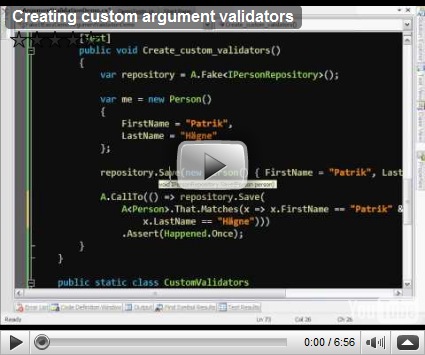
Argument validation in FakeItEasy

I created two more screencasts on FakeItEasy, these two are on the subject on argument validation, I’ve increased the font size and put some compressor on the audio to improve the quality a bit.


Saturday, December 26, 2009

The basics of FakeItEasy

I thought I’d take a stab at screencasts so here’s my first attempt, it’s a quick overview of the FakeItEasy framework:

(I would highly recommend that you watch it in HD-quality, otherwise the text will not be readable.)

Saturday, December 19, 2009

Configuring any call to an object

I’ve just updated the way to configure any call to faked objects in FakeItEasy, the syntax is new and also you can now configure return values.

Let’s say you have an interface providing localized text resources like this:

public interface ILocalizedResources
{
    string SomeText { get; }
    string SomeOtherText { get; }
}

When you fake this interface any of the properties would return null when not configured but you might have several tests that are dependant on that the values are non null strings but still you don’t want to have to configure each individual property in the set up of you fixture. Now you can do exactly that:

var resources = A.Fake<ILocalizedResources>();
Any.CallTo(resources).WithReturnType<string>().Returns("");

Of course you can still configure any call to do anything you want just as before, for example:

var resources = A.Fake<ILocalizedResources>();
Any.CallTo(resources).Throws(new Exception());


Technorati-taggar: ,,,,,,